Skip to content
No results
  • Home
  • About Us
  • Write for Us
  • Contact
Bottleneck Calculator Blog
  • Home
  • About Us
  • Write for Us
  • Contact
Bottleneck Calculator Blog
  • Troubleshooting & Tips

Why Is My GPU Usage So High? Healthy Load Versus a Real Problem
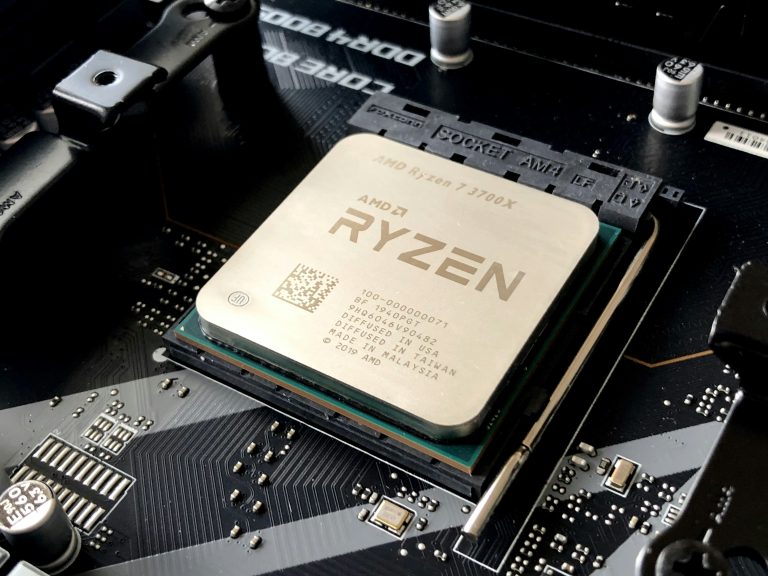
Same-Socket CPU Upgrades: What a Bottleneck Check Should Tell You

TL;DR: High GPU usage is usually not a fault. A GPU at 95–100 percent in a game means it is being fully used, which is the goal. Usage becomes a problem only when it is high while you are doing…
  • Bottleneck Editorial
  • November 12, 2026
  • CPU & GPU Balance

Reading Bottlenecks in CPU-Bound Esports Titles Without Blaming the GPU

Reading Bottlenecks in CPU-Bound Esports Titles Without Blaming the GPU

TL;DR: Games like Valorant, CS2, League, and many tactical shooters often lean on CPU simulation and frame delivery at 1080p. A low GPU usage reading is not automatically a “bad GPU”—it may mean the processor cannot feed frames faster. Run…

  • Bottleneck Editorial
  • November 12, 2026
  • Upgrade Advice

Checking Bottlenecks When You Game and Stream on the Same PC

Checking Bottlenecks When You Game and Stream on the Same PC

TL;DR: Streaming adds encode, scene composition, and chat overhead that pure gaming benchmarks ignore. A build that looks balanced for solo play can feel CPU-starved the moment OBS starts. Model both workloads—or at least raise CPU expectations—in a bottleneck calculator…

  • Bottleneck Editorial
  • November 11, 2026
  • CPU & GPU Balance

How Resolution Changes Which Part of Your PC Looks Bottlenecked

How Resolution Changes Which Part of Your PC Looks Bottlenecked

TL;DR: The same CPU and GPU pair can look “CPU bound” at 1080p and “GPU bound” at 1440p or 4K because pixel load scales faster than game simulation cost. Before you buy an upgrade, re-run pairings at the resolution you…

  • Bottleneck Editorial
  • November 11, 2026
  • Bottleneck Tutorials

Bottleneck Checks Before You Buy a 144 Hz Monitor

Bottleneck Checks Before You Buy a 144 Hz Monitor

TL;DR: A 144 Hz panel only feels crisp if your CPU and GPU can deliver frames consistently—not just average FPS in a old benchmark. Check component pairing at your target resolution and refresh before buying glass. Run scenarios in a…

  • Bottleneck Editorial
  • November 10, 2026
  • Bottleneck Tutorials

Re-testing Your Build After a GPU Driver Update

Re-testing Your Build After a GPU Driver Update

TL;DR: GPU driver updates can shift CPU vs GPU load enough to change upgrade advice. Re-run pairing checks after major driver releases, resizable BAR changes, or Windows power plan edits. Use a PC bottleneck calculator with the same game and…

  • Bottleneck Editorial
  • November 10, 2026
  • Troubleshooting & Tips

Privacy When Checking PC Specs Online

Privacy When Checking PC Specs Online

Use trusted sites; avoid pasting serial numbers in public forums.

  • Bottleneck Editorial
  • October 11, 2026
  • Troubleshooting & Tips

Comparing Bottleneck Tools Side by Side

Comparing Bottleneck Tools Side by Side

Cross-check two calculators for consistent upgrade direction.

  • Bottleneck Editorial
  • October 11, 2026
  • Troubleshooting & Tips

Bottleneck Results at 0% or 100% Explained

Bottleneck Results at 0% or 100% Explained

Understand edge labels and when to re-check inputs.

  • Bottleneck Editorial
  • October 10, 2026
  • Troubleshooting & Tips

Missing CPU or GPU in Dropdown? Fixes

Missing CPU or GPU in Dropdown? Fixes

Search alternate names, pick closest tier, or update tool databases.

  • Bottleneck Editorial
  • October 10, 2026
Prev
1 2 3 4
Next
Copyright © 2026 Bottleneck Calculator